The Five-Layer AI Stack: One Tool Per Layer, No Overlaps
How I ship more with five AI tools than most people ship with thirty. The framework: one tool per layer — input, thinking, research, output, distribution — and never let them overlap.
April 25, 2026
Last Quarter, One Person
Last quarter I shipped a 39-segment leadership course, more than 30 Remotion compositions, and converted a Southeast Asia accounting firm into a paid pilot.
I’m one person.
The reason that math works isn’t a productivity hack. It isn’t a single tool. It’s that I stopped asking one model to do four jobs.
Most people pick one AI and force it to write, think, research, design, and distribute. The output is mediocre at every layer. No model is the best at everything, so the work that comes out is competent at best — and competent doesn’t ship.
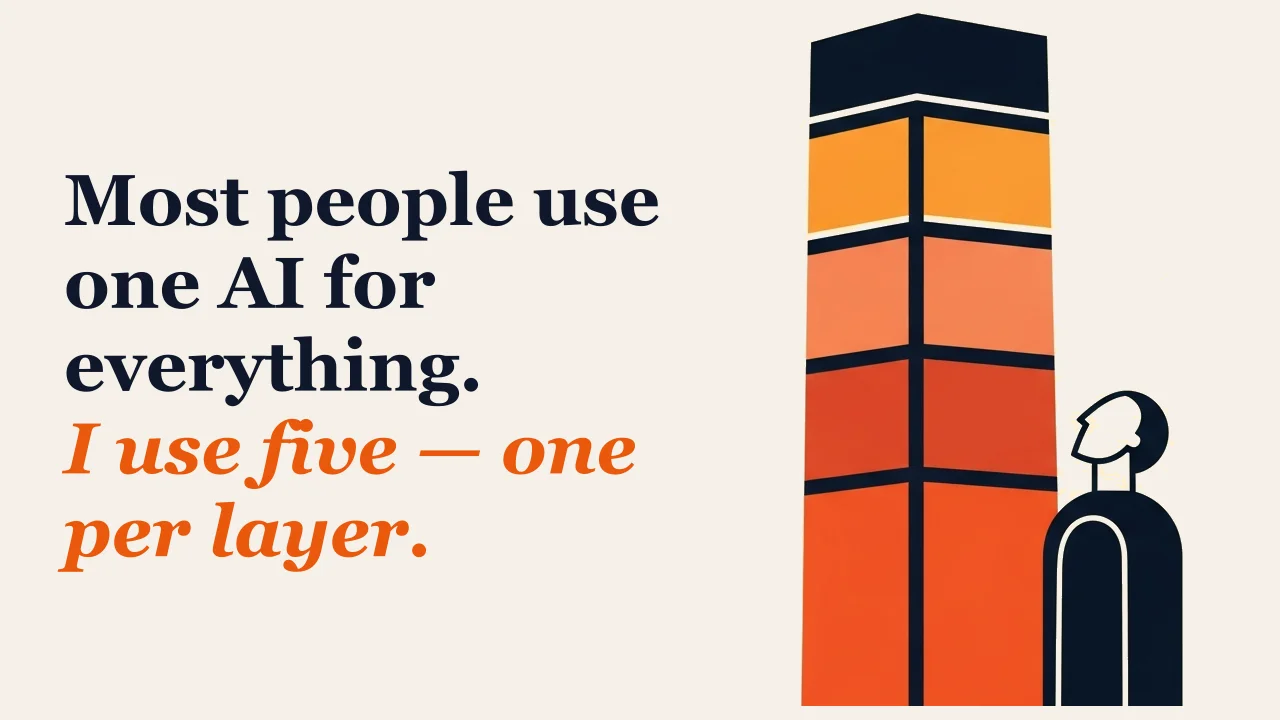
I use five. One per layer.
This isn’t a listicle. It’s a framework. Once you see the layers, you’ll see what’s wrong with the way most operators are currently working — and you’ll see the fix.
The Framework: One Tool Per Layer, No Overlaps
Five layers. Five tools. One rule.
The rule is the point. Most people pick a tool and ask it to do four jobs. I pick the best tool for each job and let it do that one job well. The handoffs between layers stay clean. The output at each stage is something I’d ship on its own — even if it’s just a single email, a single slide, a single video.
Here are the layers:
Layer 1 — Input. How thoughts get out of your head and into a document.
Layer 2 — Thinking and Building. How those thoughts become systems, scripts, prototypes, and artifacts.
Layer 3 — Research and Synthesis. How you make sure you’re not making things up — and how you turn other people’s work into something you can use.
Layer 4 — Output. How the work becomes something a human can watch.
Layer 5 — Distribution. How it leaves your machine in a format people will actually open.
One tool per layer. No overlaps allowed. That’s the framework.
Your layers might look different from mine. If you’re a customer success manager, your output layer is probably Loom, not HeyGen. If you’re an academic, your distribution layer is Substack, not Gamma. If you’re a software engineer, your thinking layer might be Cursor, not Claude Code.
The tools are interchangeable. The principle is what matters.
The mistake people make isn’t picking the wrong tool. It’s picking one tool and asking it to span three layers. That’s how you end up with thin research, generic copy, and presentations that look like everyone else’s.
Pick the layer. Pick the best tool for that layer. Don’t let it bleed into the next one.
Here’s what that looks like in practice.
Layer 1 — Input: Wispr Flow
Most people haven’t heard of Wispr Flow. That’s the unfair advantage.
Wispr Flow is voice-to-text that runs system-wide on your machine. You hold a hotkey, you talk, you let go — the transcription drops into whatever app your cursor is in. Slack. Claude. Notion. The comment box on a GitHub PR. Doesn’t matter.
Two things make it different from your phone’s built-in dictation.
First, it adapts tone to the app. Formal in Gmail. Casual in Slack. Code-aware in Cursor. Same voice in, different formatting out.
Second, it handles self-corrections. You say “let’s meet Tuesday — wait, no, Friday” and the output reads “Let’s meet Friday.” That eliminates the edit tax that kills every other dictation tool I’ve tried.
Roughly four times faster than typing — about 220 words per minute versus 45. But that’s not the unlock.
The unlock is that you stop editing yourself before the idea lands. You ramble. The model cleans it up. You ship.
Here’s how this layer pays off:
- If you’re a consultant — dictate the meeting recap walking back to your car. By the time you’re home, you have a structured client memo, not a blank page on Sunday night.
- If you manage people — dictate feedback to your reports between meetings. Specific, on the same day, ten times faster than typing it.
- If you write anything — dictate the first draft, then edit. Talking is creative. Typing is judgmental. Doing them at the same time kills both.
Wispr is reportedly handling 10 billion words dictated and 100,000+ daily active users — they raised $81M in 2025 because the product actually works.
Start here. This is the tool that multiplies everything downstream.
Layer 2 — Thinking and Building: Claude Code
Claude Code is where ideas turn into systems.
Not just code. Compositions, automations, data cleanup, internal tools, scraping pipelines — anything where you need a real artifact at the end, not just a chat reply.
The shift from a browser-tab assistant to a coding agent that runs in your terminal is the biggest change in how I work in the last two years. The tool lives where the work lives. It reads your files. It runs commands. It sees what broke. It fixes it.
Two practices I’d burn into your brain before you start.
One — use Plan Mode for anything more than a one-line change. You ask Claude to read the relevant code and propose what it’ll do, before it does it. You catch misunderstandings in two minutes that would have cost you twenty minutes of wrong implementation.
Two — keep a CLAUDE.md file at the root of every project. A markdown file that tells Claude how you work. Your conventions. Your rules. The things to never do. The engineer who built Claude Code keeps his around a hundred lines. Every line earned its place because it solved a real problem once.
Here’s what this layer unlocks for non-developers:
- If you do marketing — point it at your last twelve blog posts. Ask for ninety social variants in your tone, formatted per platform, ready to schedule.
- If you manage a team — describe the dashboard you wish you had. Have it built and running on your data by lunch.
- If you do research — drop in twenty PDFs. Get back a comparison table that would have taken an analyst a week.
- If you’re testing a business idea — describe what you want. Claude Code builds you a working prototype you can put in front of five people before you commit to a contractor.
You don’t need to know JavaScript. You need to know what you want and be specific about it. The model handles the rest.
Layer 3 — Research and Synthesis: Gemini + NotebookLM
This is the only layer where I use two tools. There’s a reason.
Gemini is for deep research. Million-token context window. Web grounding. The model I trust to read a 50-page PDF and tell me what’s actually in it without inventing things. When I need breadth — the wide sweep across the open web — Gemini is the engine.
NotebookLM is the synthesis layer. You upload sources — papers, transcripts, your own writing — and every answer comes back anchored to a citation. If it isn’t in the documents you uploaded, it doesn’t show up in the answer. No hallucinated quotes. That’s the rigor side.
Breadth and rigor in the same workflow.
NotebookLM has quietly become much more than a chatbot. The Studio panel now turns your sources into Audio Overviews, Video Overviews, Mind Maps, Reports, Infographics, Slide Decks, Quizzes, Flashcards, and structured Data Tables. One set of sources. Nine output formats. Every output cited back to the page it came from.
The audio overview is the feature that broke the internet. Two AI hosts hold a 15-minute conversation about your material that sounds like a real podcast. Interactive Mode lets you raise your hand mid-podcast and ask a question — the hosts pause, answer using your sources, then jump back in.
In April 2026, Google linked NotebookLM and Gemini bidirectionally — your Gemini research now feeds straight into NotebookLM as sources. The handoff between breadth and rigor is now a single click.
How this layer pays off:
- If you’re in legal or compliance — drop a contract into NotebookLM and ask it anything. Every answer points to the exact clause. Defensible. Auditable. Faster than redlining by hand.
- If you sell to companies — load a prospect’s last four earnings calls. Walk into the next meeting knowing what their CFO is actually worried about.
- If you teach or train — drop your source material in. Generate flashcards and a quiz from it automatically. Hand learners the audio overview for the commute. One source, three formats, three learning styles.
- If you do strategy — Gemini for the wide sweep across the web. Pull what you find into NotebookLM with your own notes. Generate a mind map to see how concepts connect.
Most people use one chatbot for everything and wonder why the answers feel thin. Use a deep research tool for breadth. Use a source-grounded tool for accuracy. Don’t ask one model to do both.
Layer 4 — Output: HeyGen
HeyGen is how the work becomes something a human can watch.
You upload a few minutes of footage of yourself. HeyGen builds an avatar that looks like you, sounds like you, and lip-syncs anything you type. The model I use today is Avatar IV. It handles emotional inflection, micro-expressions, and gestures that match the meaning of the words — not the swaying robot of two years ago.
Three things shifted in the last twelve months that matter.
Video Agent turns one prompt into a finished video — script, B-roll, captions, avatar, all generated in a single pass.
Video translation with lip-sync now covers 175 languages. Record once in English; ship in Bahasa, Mandarin, Spanish, Portuguese, all with your face actually saying the words.
SCORM export means anything you make drops straight into a learning management system. That changes the conversation with HR and L&D buyers entirely.
API pricing sits at roughly $1 per minute of finished 720p/1080p video for standard avatars; Avatar IV is $4 per minute. Cheap enough to use for daily output.
Where this layer pays off:
- If you’re in sales — record a personalized intro video for every prospect by typing their name and company into a template. Same script, different name, a hundred warm intros in an afternoon.
- If you run internal comms — your CEO records the avatar once. Weekly updates ship without booking studio time. Lighting, energy, framing all match every time.
- If you build training — SCORM export drops straight into Cornerstone, Workday, or whatever LMS you run.
- If you onboard customers — replace the live demo call with a personalized walkthrough that lands in their inbox before they ever get on Zoom.
- If you’re a creator — produce on the weeks you don’t feel camera-ready. Burnout stops killing the channel.
The one place this still falls short — emotional storytelling. If you’re doing a brand film with real human moments, hire a crew. For everything else — explainers, training, sales outreach, internal comms, localized variants — the camera can stay in the box.
This isn’t about replacing video. It’s about replacing the takes you don’t want to do.
Layer 5 — Distribution: Gamma
Gamma is the last mile. Slides, narrated decks, one-pagers — anything that needs to look finished when it lands in someone’s inbox.
You write the structure in plain text. Gamma handles the layout, the typography, the image search, the color palette. A designed deck in under 60 seconds.
Two recent shifts changed how I use it.
The AI agent. You can now edit the entire deck in plain English. “Make slide three more conversational.” “Switch this to a darker theme.” “Add a slide between six and seven about pricing.” It feels like having a designer on call.
Four output types from one workspace. Presentations. Documents. Websites. Social posts. One source of truth. Four distribution channels. The campaign brief becomes the deck, becomes the one-pager, becomes the landing page, becomes the social variants — all from the same input.
Gamma is reportedly at 70 million users and $100M ARR in 2026, valued around $2.1B. The category is no longer “design tool” — it’s a distribution layer.
How this layer changes the game:
- If you’re a founder — your investor update goes from a quarterly chore to a monthly habit. Draft on Sunday night. Designed by Monday morning. Sent.
- If you sell — a personalized proposal deck in 15 minutes instead of two hours of slide-wrangling. Send it as a link, watch the analytics on which slides got read and how long.
- If you train — turn a workshop outline into a leave-behind deck in the time it takes to make coffee.
- If you market — campaign brief becomes deck, becomes one-pager, becomes website, becomes the social posts. One input. Four artifacts.
The closed loop is the integration with HeyGen. Drop your avatar into a Gamma deck as a narration layer. Slides advance. Avatar speaks. The viewer watches a presentation that would have taken a designer and a video editor a week. Takes you an afternoon.
That’s the whole stack working together.
The Through-Line: One Person, Five Layers
Most people pick one tool and ask it to do four jobs. The output is mediocre at every layer because no model is the best at everything.
Pick the best tool for each layer. The handoffs stay clean. The output at every stage is something you’d ship on its own.
Your layers might not match mine.
If you’re a customer success manager, your output layer is probably Loom, not HeyGen. If you’re an academic, your distribution layer is probably Substack, not Gamma. If you’re an engineer, your thinking layer might be Cursor, not Claude Code. If you’re a designer, your output layer might be Figma + Rive, not avatar video.
The principle is portable. One tool per layer. No overlaps.
That’s how one person moves like a team.
Where to Start
If you’re picking the order, start with Layer 1.
Wispr Flow is the lowest-friction tool to install, the cheapest to run, and the one that multiplies everything downstream. Once you’re dictating into your normal workflow instead of typing, the rest of the stack gets faster on its own.
Then add layers as the work demands them. You don’t need all five on day one. You need one that solves a real bottleneck — and the discipline not to let it bleed into the next layer.
That’s the whole framework.
If you want help mapping this stack to your own work — your layers, your workflows, your team — get in touch. 30 minutes. No pitch. We look at what you’re doing now, what’s stuck, and where the layers are tangled.
Everything else I’m building lives at kaiak.io. Courses, systems, workflows — all the stuff I’m actually using.
Common questions
- What is the five-layer AI stack?
- Five layers of work — input, thinking and building, research and synthesis, output, and distribution — with one tool assigned to each and no overlaps between them. The layers are the framework; the specific tools are interchangeable.
- Do I need these exact five tools?
- No. If you are a customer success manager your output layer is probably Loom, not HeyGen. An academic's distribution layer is Substack, not Gamma. An engineer's thinking layer might be Cursor, not Claude Code. The principle is portable; the tools are not the point.
- Why not just use one AI for everything?
- No model is the best at everything, so a single tool stretched across three layers produces work that is competent at every stage and excellent at none — thin research, generic copy, and presentations that look like everyone else's.
- Which layer should I start with?
- Layer 1, input. Wispr Flow is the lowest-friction tool to install, the cheapest to run, and the one that multiplies everything downstream. Add the other layers as the work demands them rather than adopting all five on day one.
- Do I need to be a developer to use Claude Code?
- No. You need to know what you want and be specific about it. Use Plan Mode for anything beyond a one-line change, and keep a CLAUDE.md file at the root of the project telling it your conventions and the things never to do.
Further reading

Want help building systems like this?
We help school leaders automate the chaos and get their time back.